No browser window for uploading
The main workflow is built on direct HTTP requests to YouTube Studio and upload.youtube.com, reducing overhead for each thread.
A ZennoPoster template for multi-threaded automated uploading of videos and Shorts to YouTube with metadata, thumbnails, comments, likes, end screens, info cards and advanced publication settings.
The key difference is direct work through HTTP requests to YouTube without opening a browser window and without the public YouTube API. This makes uploading faster and keeps PC load much lower in bulk workflows.

YouTube-Uploader is built for tasks where optimized videos need to be uploaded quickly and in bulk across many channels instead of repeating the same YouTube Studio actions by hand.
The main workflow is built on direct HTTP requests to YouTube Studio and upload.youtube.com, reducing overhead for each thread.
Uploads and video settings are applied through the working YouTube context, so public YouTube Data API quotas are not required for bulk publishing.
The template can upload videos to many channels, preserve sessions, work with cookies and use proxies when your workflow needs them.
Data can be fully randomized, linked to channels, managed through a precise Excel scheduler or split into topic folders. The best mode depends on how strictly each video should be tied to metadata and a channel.
Open upload modes documentationVideos, thumbnails, titles, descriptions and tags are taken from prepared lists and can be distributed across threads randomly.
Linker can assign individual files or folders to specific accounts, channels and threads.
The scheduler connects each video with its title, description, tags, thumbnail, publication date and channel.
Topics mode takes materials from topic folders, rotates datasets and helps run several content directions.
The template covers not only file upload, but also SEO data, publication settings, retention elements, account handling and result control.
The screenshots show the current input settings structure: from HTTP upload method to audience, category and retention controls.
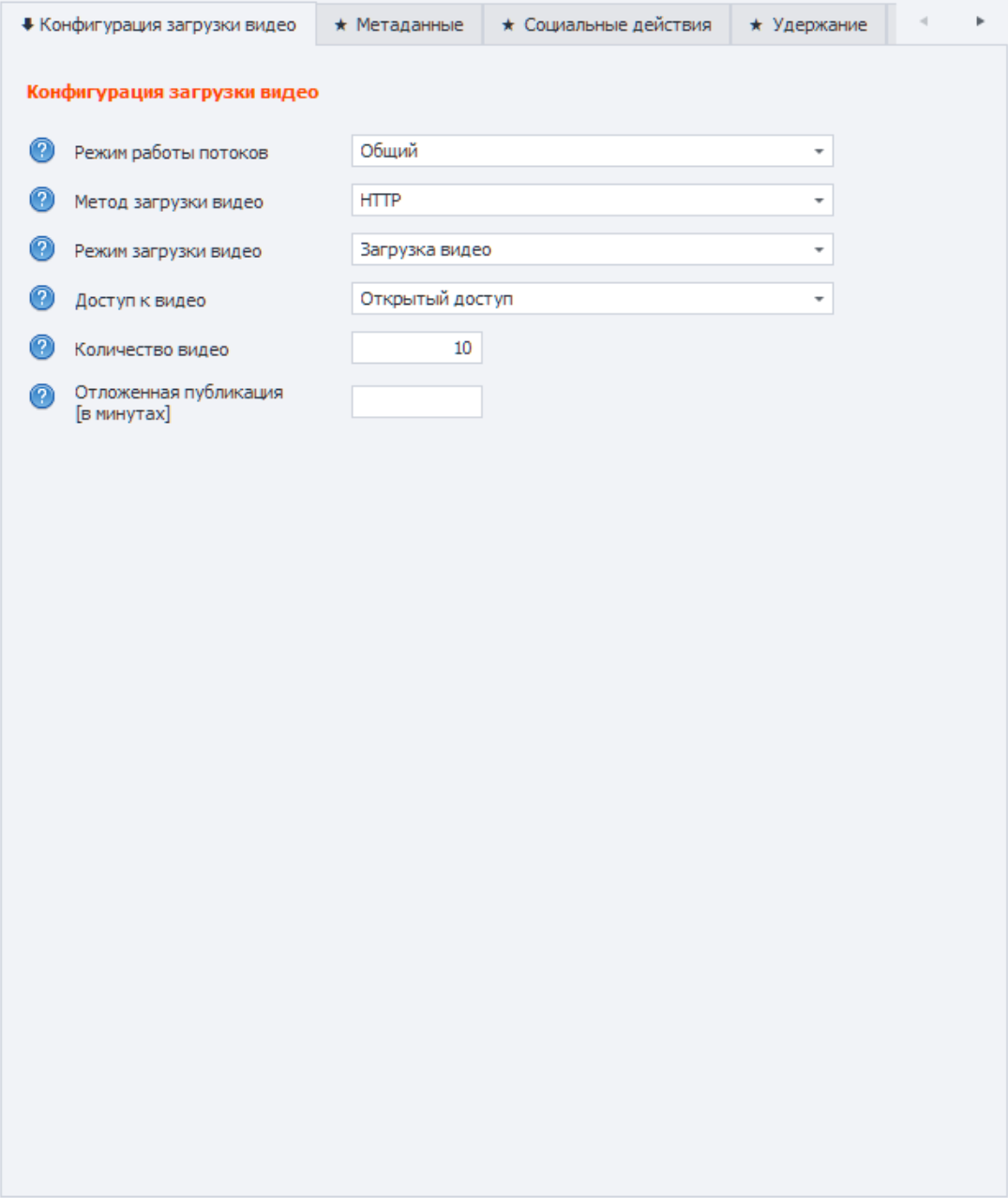
Thread mode, HTTP method, upload mode, video access, video limit and scheduled publishing interval.
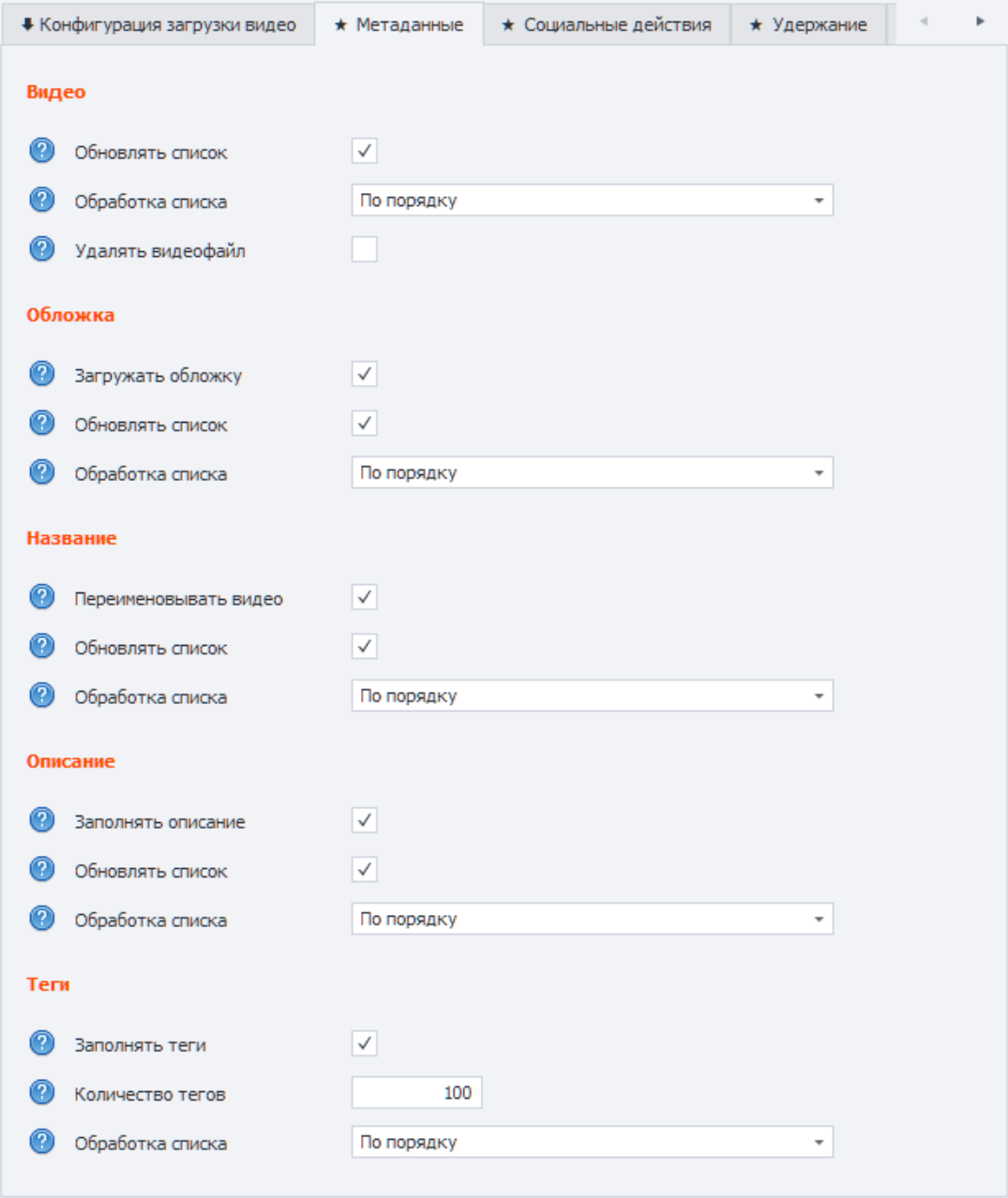
Videos, thumbnails, titles, descriptions and tags with list order and refresh settings.
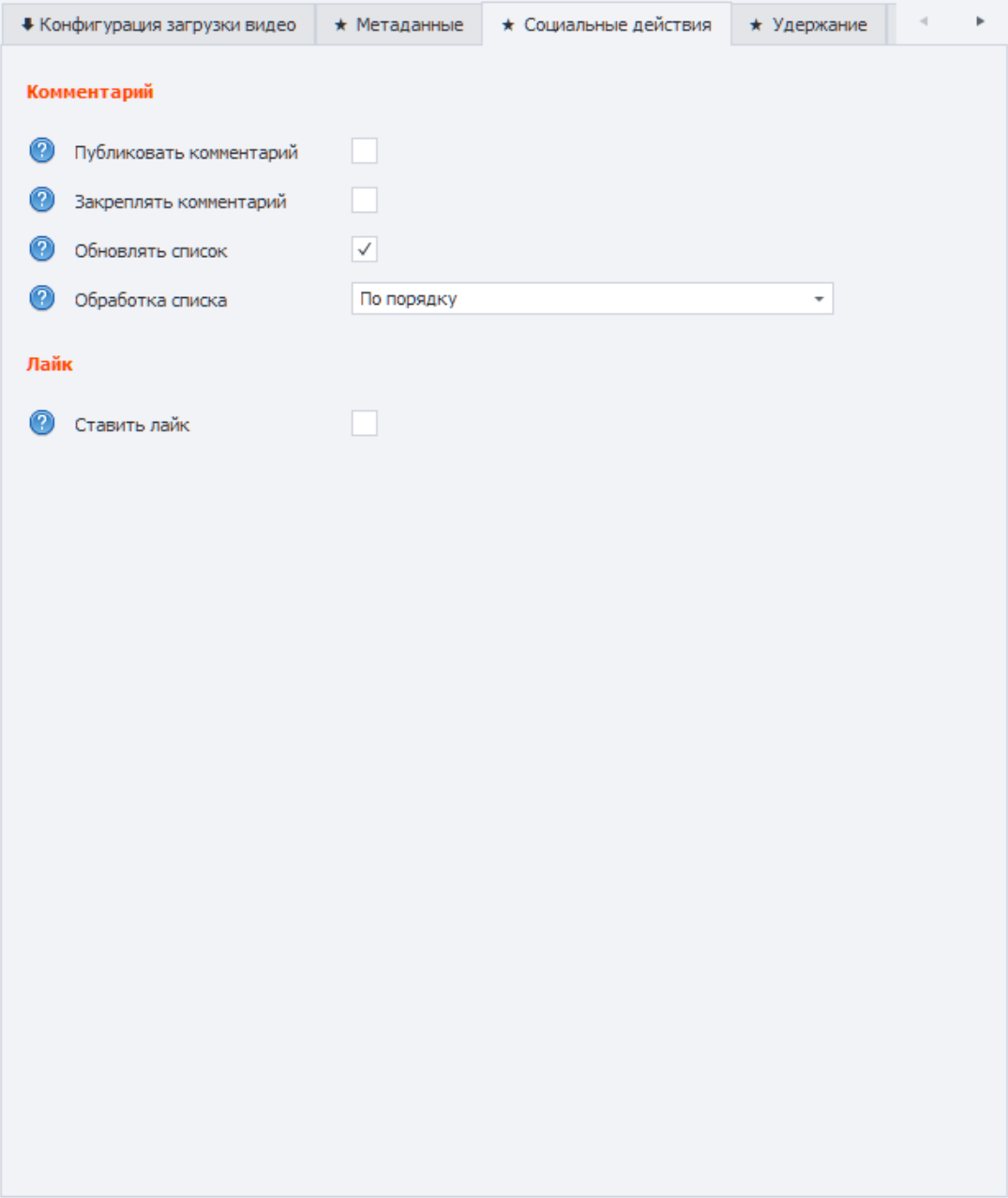
Comment publishing and pinning, comment list refresh and liking uploaded videos.
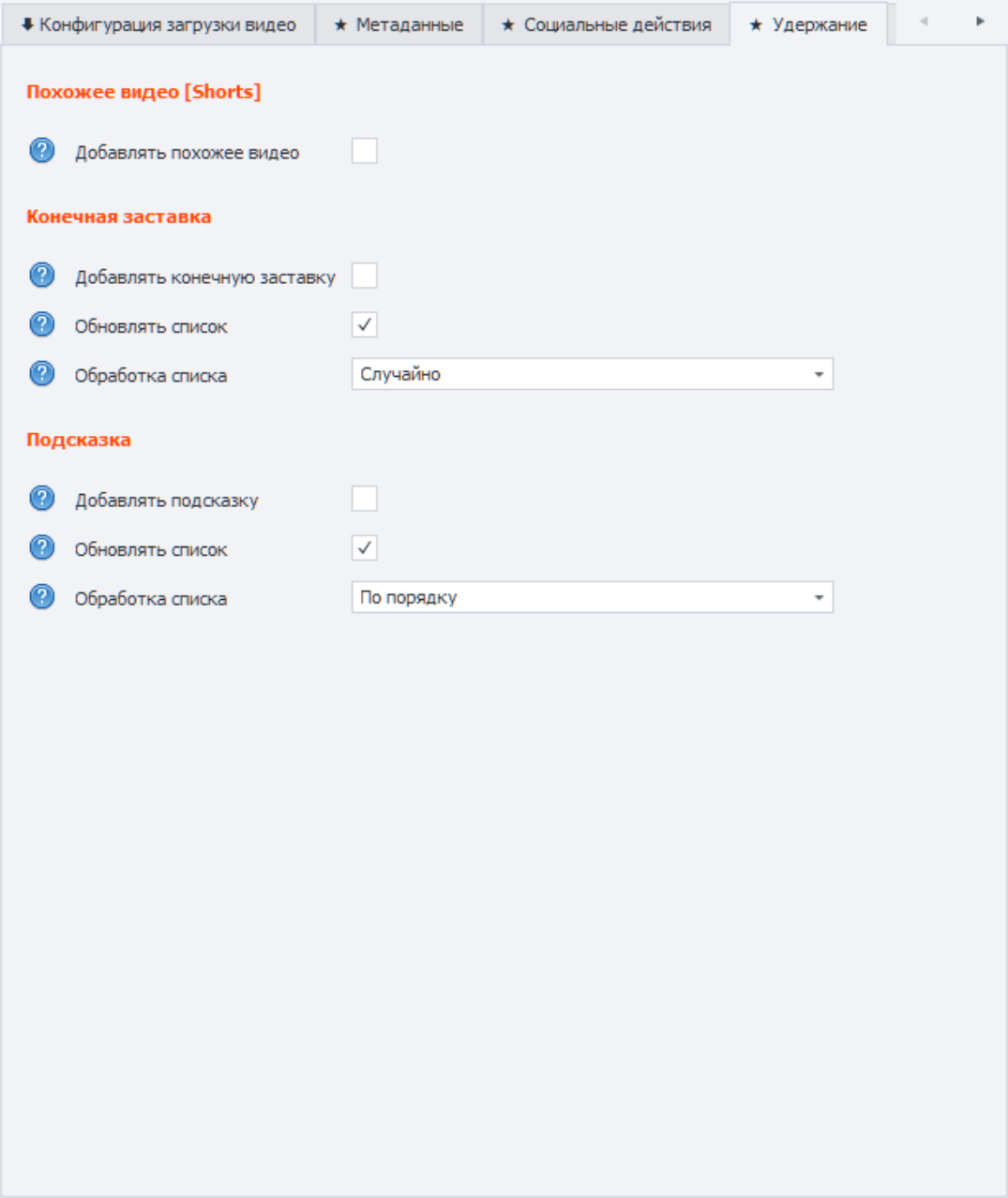
Related Shorts video, end screens and info cards with list order controls.
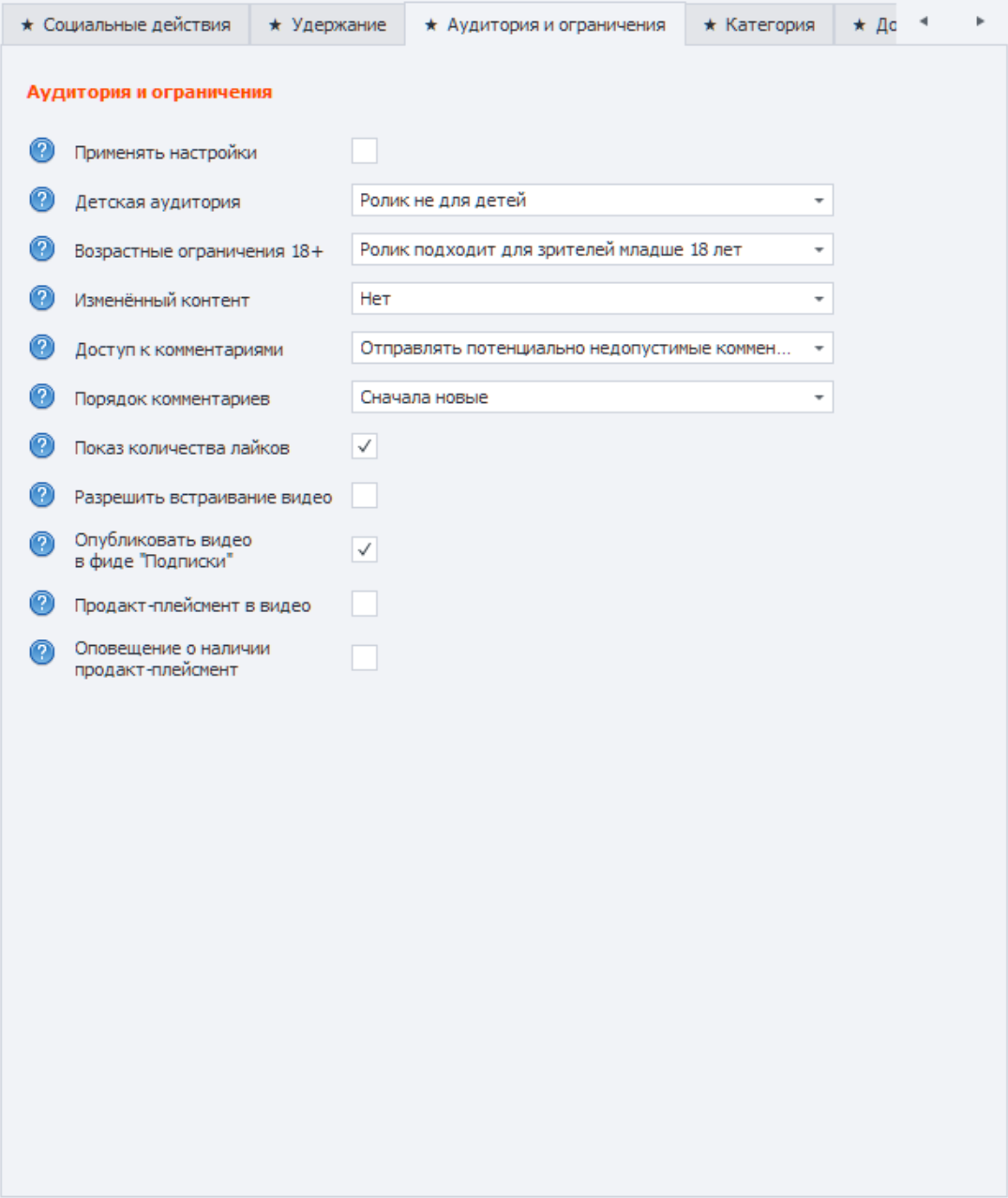
Kids audience, 18+, altered content, comments, ratings, embed, subscriptions feed and product placement.
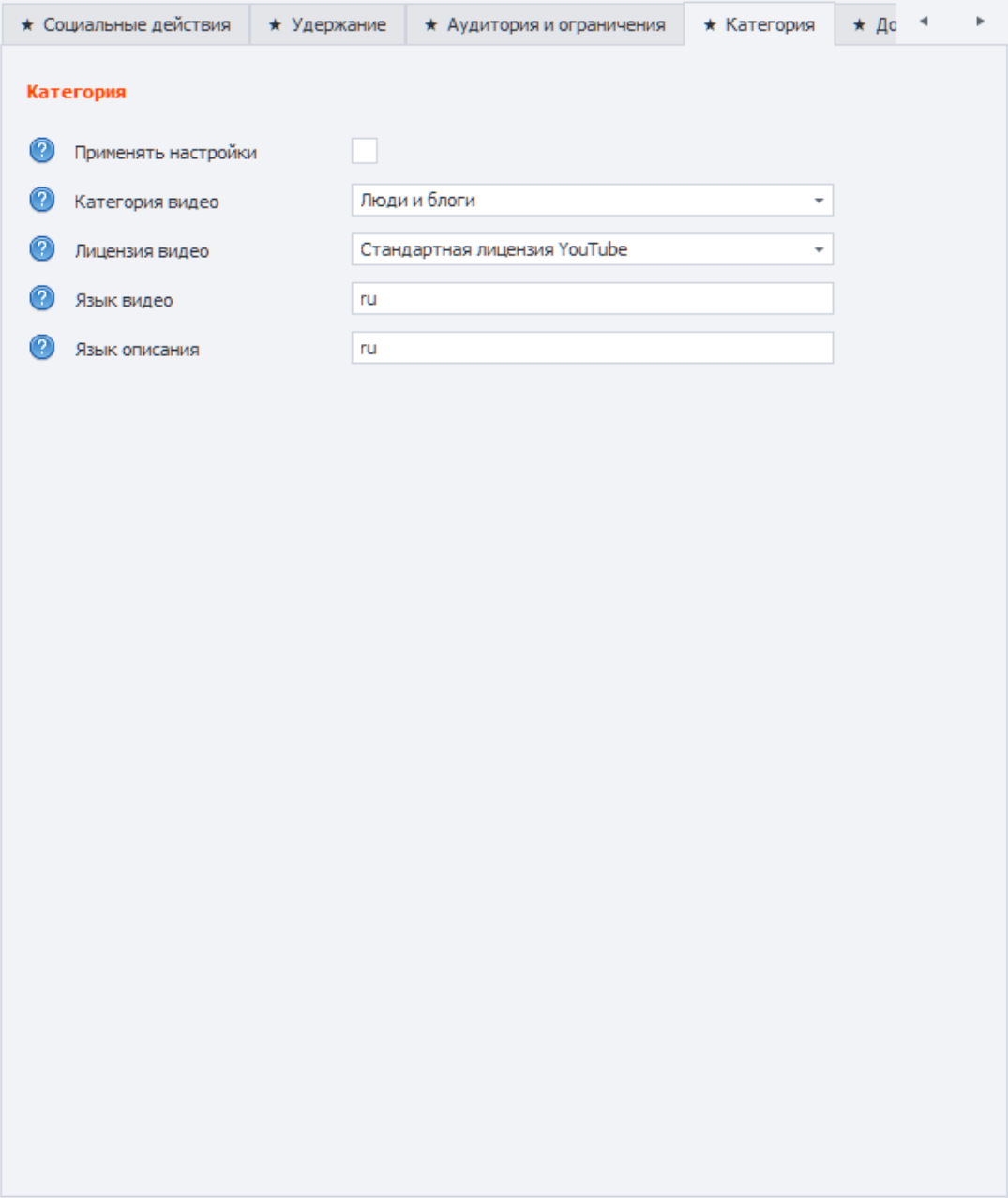
YouTube category, video license, video language and metadata language for advanced video settings.
YouTube-Uploader is valuable as a repeatable workflow: data is prepared in advance, and the template applies it without manual publication assembly in YouTube Studio.
Add Google accounts, recovery email, cookies, proxy data and the target channel when an account has multiple channels.
Accounts are ready for authorization and uploadPlace videos, thumbnails, titles, descriptions, tags, comments, end screens and info cards in files, Excel or topic folders.
Content is tied to the required workflowUse randomized files, channel-linked files, the Excel scheduler or topic folders depending on the task.
Threads receive data according to defined rulesZennoPoster or ZennoBox performs HTTP upload, applies metadata, publication settings and optional actions.
Videos are published without manual YouTube Studio workAfter each run, statuses, detailed logs and uploaded-video reports remain available unless reporting is disabled.
You have result and error controlThe product is for people who see value in bulk video uploads for specific topics, keywords and traffic funnels.
For high-volume video publishing around offers, keywords and topics where launch speed matters.
For bulk uploading optimized videos with prepared titles, descriptions, tags and thumbnails.
For projects that use YouTube as a traffic source and need to scale publishing quickly.
For accounts with multiple channels, brand channels and repeatable content upload workflows.
You need ZennoPoster or ZennoBox, a Windows environment, Microsoft Excel and Google accounts. Proxies are optional and depend on your operating model.
Short answers about the operating model, accounts, Shorts, monetization and environment.
It is a ZennoPoster template for multi-threaded automated uploading of videos and Shorts to YouTube with metadata, thumbnails, publication settings, social actions, retention elements, monetization, logs and reports.
Browser automation consumes more resources per thread. YouTube-Uploader uploads videos through direct HTTP requests, so it can work faster and with lower PC load.
No. The template does not require the public YouTube API and its quotas for video uploads. It works through the YouTube Studio context and direct requests.
A basic launch needs Google accounts: login, password and recovery email. Proxies can be added when needed, and accounts with 2FA can use generated OTP codes.
Yes. The template supports Shorts upload, related video for Shorts, multiple channels on one account and brand channels.
Yes, if the channel already has monetization rights. YouTube-Uploader can try to enable monetization on the uploaded video and log a warning when the channel is not monetized.
It is best suited for people who upload optimized videos in bulk for specific topics and keywords: traffic specialists, SEO specialists, webmasters and channel network owners.
Yes. ZennoPoster is used to edit and develop templates, while ZennoBox is suitable for running the ready product without developing your own automation.
Read the documentation, review license options or contact us directly to discuss the right YouTube-Uploader workflow.