Installation
1️⃣ Install the template following this video tutorial
2️⃣ Enter the license key in the template input settings on the "License" tab

3️⃣ Register an account on CapMonster Cloud and top up your balance with more than $1.
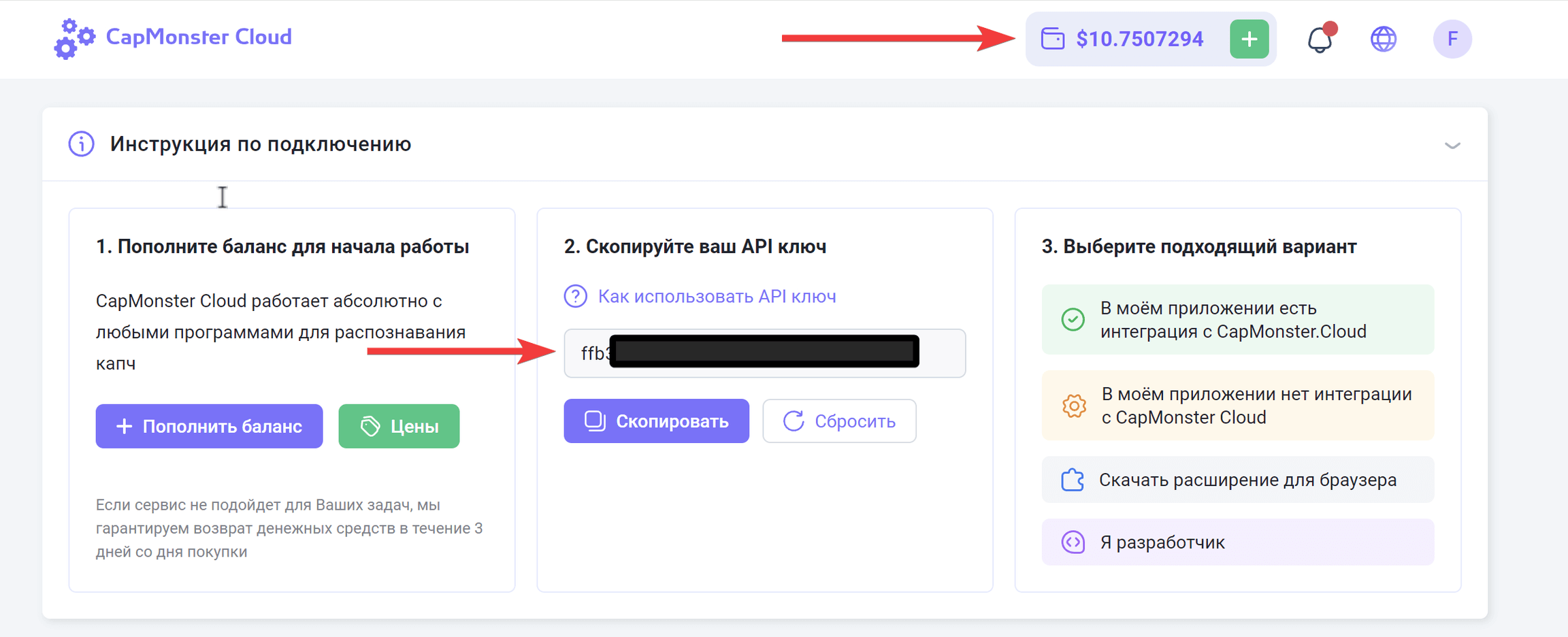
4️⃣ Copy the API key to clipboard and fill in the CapMonsterCloud API field in the template input settings on the "Task" tab, and also select the "Parsing" task.
The current template version uses CapMonsterCloud for ReCaptcha recognition.

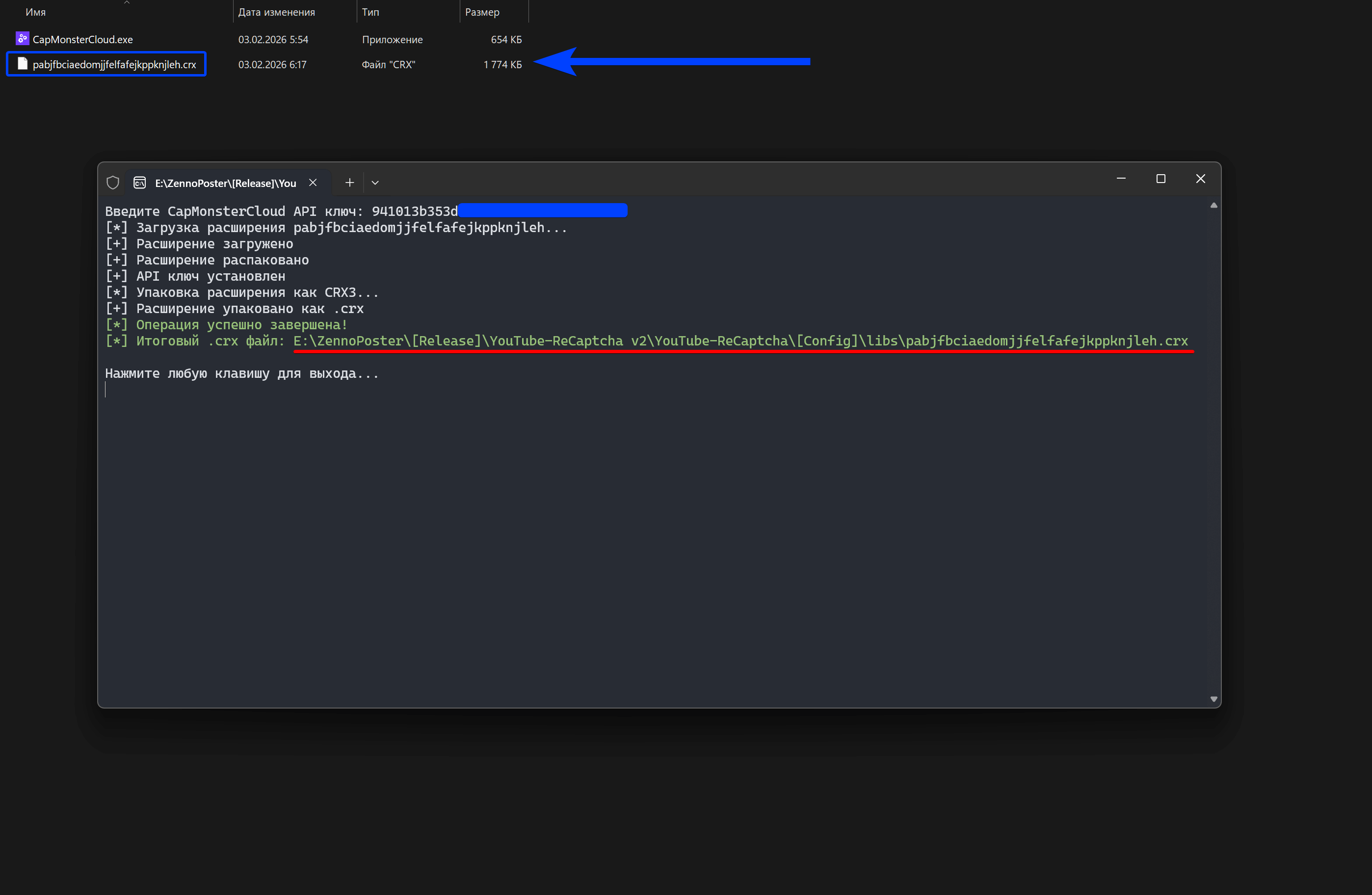
5️⃣ Navigate to the ..\YouTube-ReCaptcha\[Config]\libs\ folder and locate the CapMonsterCloud.exe executable. Run the file and enter your CapMonster Cloud API key in the window that appears. Once the process is complete, ensure that a file named pabjfbciaedomjjfelfafejkppknjleh.crx has been generated in the same directory.
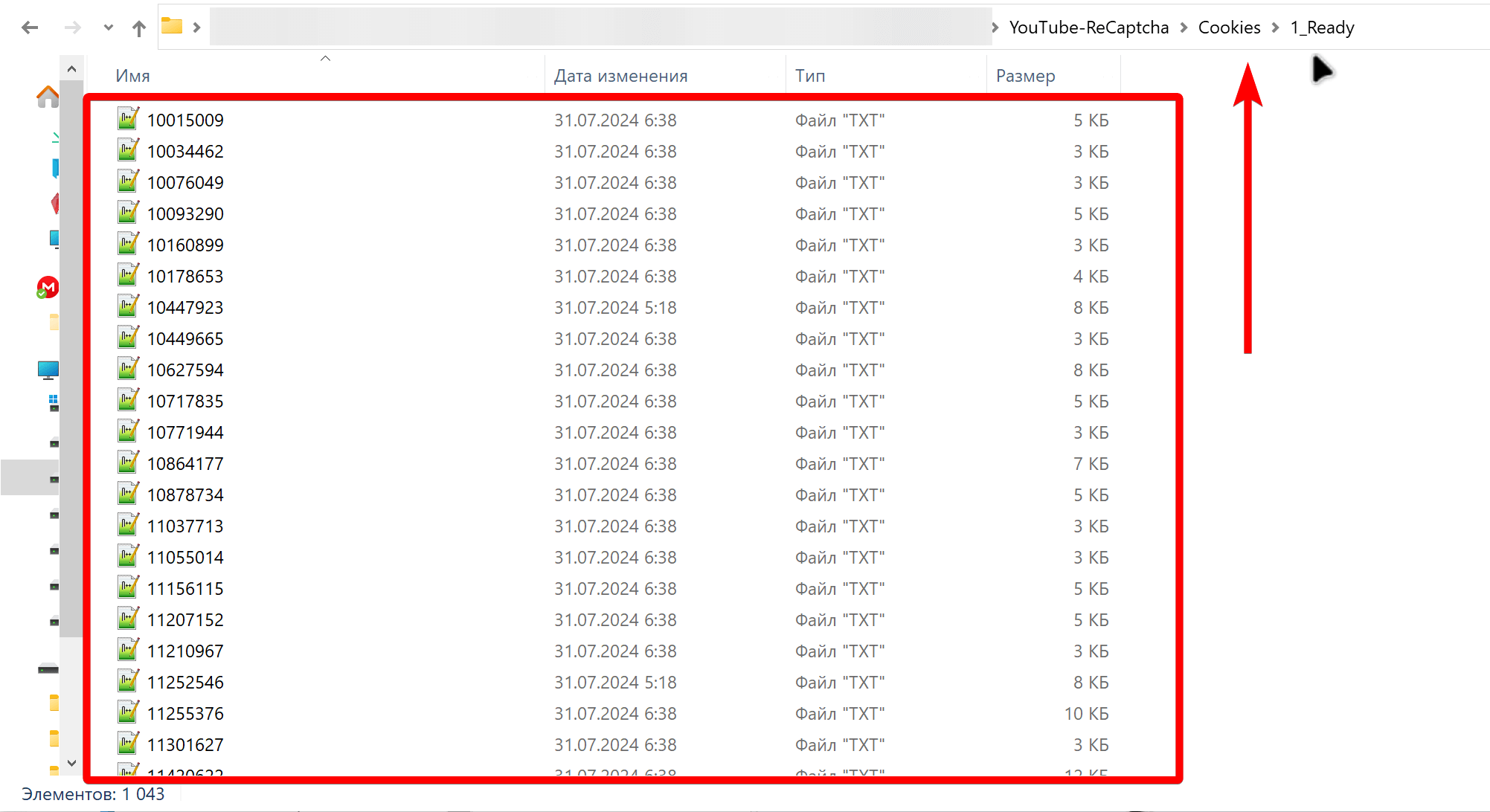
6️⃣ Transfer cookies in NetScape format to the \YouTube-ReCaptcha\Cookies\1_Ready\ folder
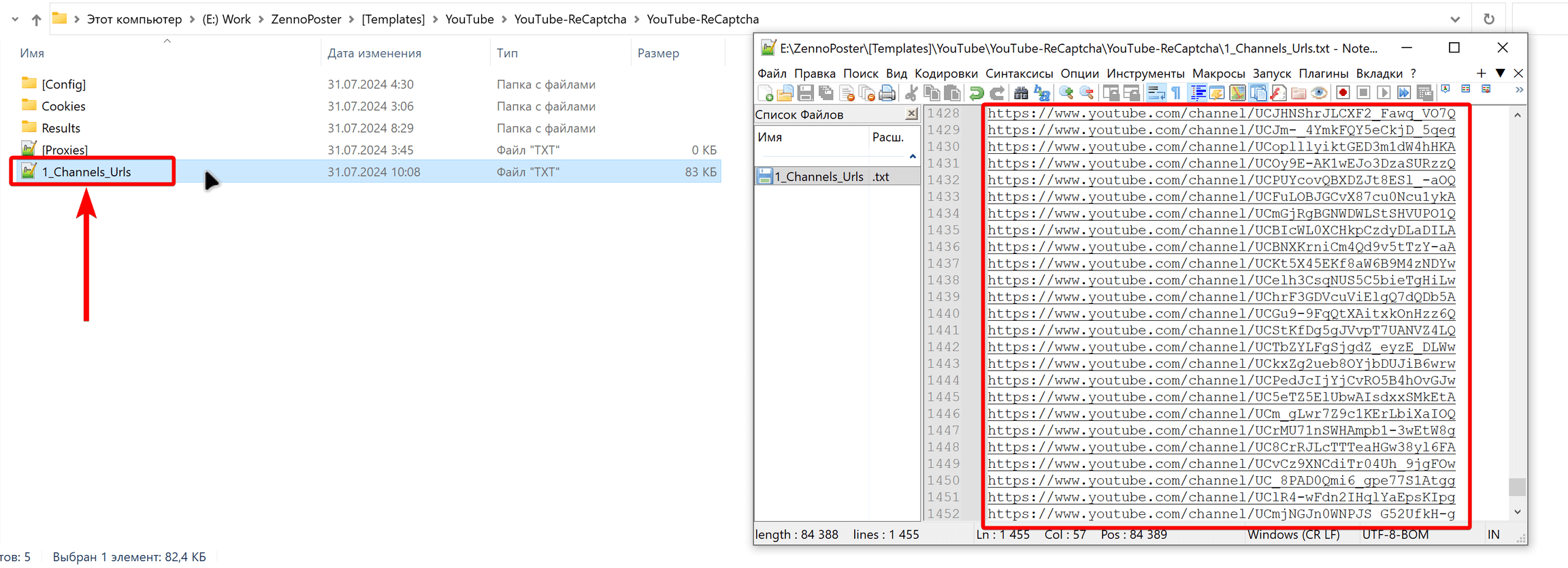
7️⃣ In the 1_Channels_Urls.txt file, specify YouTube channel links line by line